Dolby On: Record Audio & Music
- 4.1
- Rating
- 5.00M
- Installs
- Free
- Price

 Analysis by App-foxy
Recording a voice, a melody, or a quick video on a phone sounds simple until the result comes back thin, noisy, or difficult to understand. I tried Dolby On: Record Audio & Music with that everyday problem in mind, and I found an app that focuses on making a phone recording sound more finished without turning the process into a small studio project. It is a free music and audio app from Dolby Laboratories Inc., aimed at people who want to capture sound quickly and improve it with very little setup.
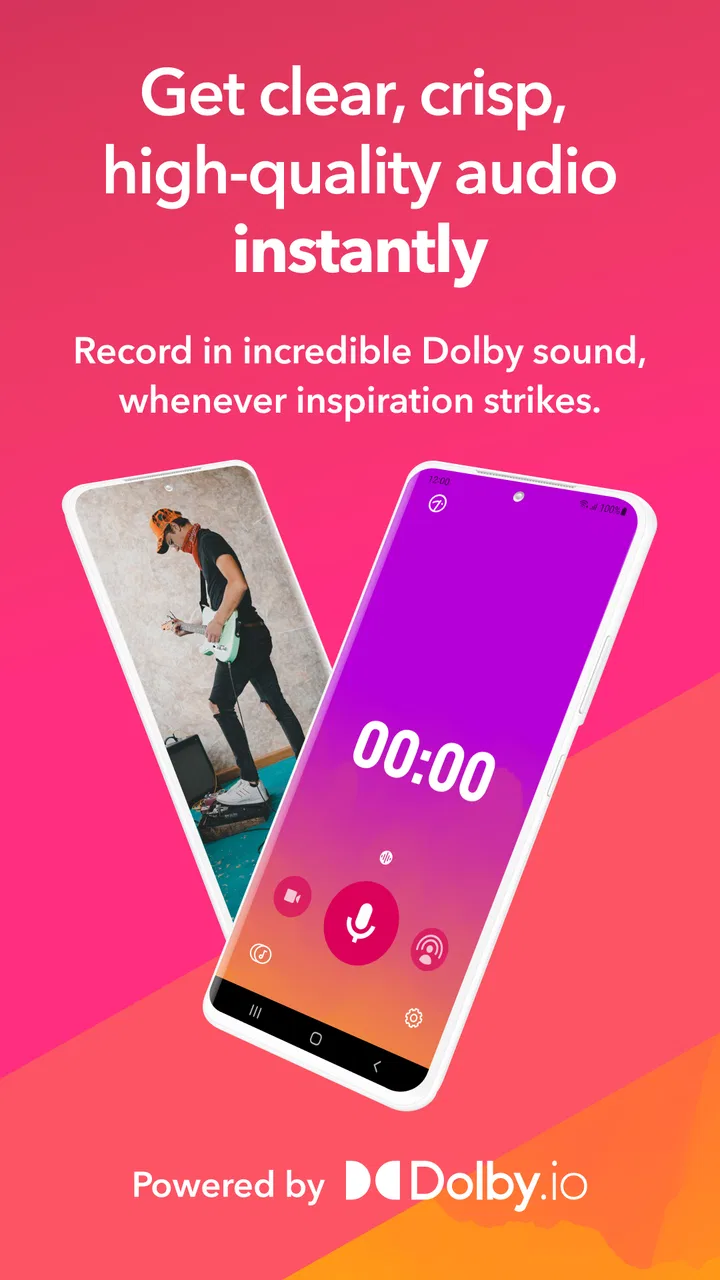
My first impression was that its strongest quality is not the number of controls, but the way it reduces decisions. You open it, choose what you want to capture, and can get to the recording stage without navigating a complicated editing environment. That makes it appealing for a singer saving a vocal idea, a student recording a short explanation, a musician checking a rehearsal, or anyone who wants clearer spoken audio for a personal video.
The app has been available since March 25, 2020, and its current version is 1.9. It is rated for Everyone and works from Android 8.0 onward. Its presence on more than five million devices and an average rating of 4.1 from roughly twenty-six thousand ratings suggest that the simple recording approach has found a substantial audience, although those figures do not remove the need to decide whether its particular way of processing sound suits you.
You May Also Like

 Blood Strike: 2.5 Anniversary
Blood Strike’s Loadouts Turn Every Drop Into a Tactical Gamble
A close look at Blood Strike’s custom loadouts: how fast access to signature weapons reshapes its battle royale rhythm, rewards preparation, and narrows the gap between fights.

 Pandora - Music & Podcasts
Pandora’s Music Is Easy to Start, but Harder to Recover
Pandora’s strength is its low-effort path from a seed to a station. Its weak spot is how much confidence it asks you to place in connection, setup, and quiet recovery.

 8 Ball Pool
 Is Built on Rivalries, Rematches, and Routine
A close look at the rivalries, rematches, shared routines, and unanswered safety questions that turn a quick pool match into a persistent mobile community.

 Samsung Music
’s Quiet Strength Is Playing What You Already Own
Its reach comes less from spectacle than from dependable access to a personal library. That simplicity is both the app’s strongest retention engine and its ceiling.

 AccuWeather: Weather Radar
AccuWeather Review: A Quick, Clear Forecast for Everyday Decisions
For everyday plans, the best forecast is the one you can understand quickly. AccuWeather makes rain timing, radar, and local conditions easy to act on, with a few trade-offs.

 Hill Climb Racing
Why Hill Climb Racing Still Turns Crashes Into One More Run
A tiny car, a bumpy hill and one more upgrade: Hill Climb Racing keeps resurfacing because its simple chaos makes every near-miss feel personal.
More From Our News Desk



How clearly the app supports different people and situations
I look at whether an app remains useful after the first few recordings, not just whether it feels easy on day one. Dolby On’s clearest advantage is how quickly it lets different people move from an idea to a listenable capture, but lasting value depends on matching that simplicity to the situations you return to. I’ll weigh those everyday needs against the compromises that can make a more specialized tool the better fit.
Readability and navigation that keep the first recording uncomplicated
Dolby On feels designed around the moment before recording rather than around a long production session. That distinction matters. Many audio apps put a mixer, timeline, file browser, and several technical settings in front of a new user. Here, the central task is easier to identify, so I spent less time wondering which screen I needed and more time listening to the result.
For someone with limited experience in audio software, this is a real advantage. The app does not require me to understand gain staging, equalization curves, compression ratios, or microphone patterns before I can test an idea. I can make a short take, listen back, and decide whether the automatic treatment helps. That low barrier is especially useful when the recording opportunity is brief, such as catching a tune before it disappears or documenting a thought while walking between tasks.
The interface is also easier to approach when I am tired or distracted. A crowded music workstation demands visual attention and careful reading, while a focused recorder lets me keep my attention on the person speaking or the instrument being played. For users who prefer a straightforward path, that reduction in visual clutter can make the difference between recording immediately and postponing the task.
Still, simplicity has a cost. If you want to inspect every technical stage or make precise decisions about how the sound is treated, the app can feel less transparent than a traditional multitrack editor. The streamlined workflow is helpful for capturing and polishing, but it is not a substitute for a full production environment. I would not choose it as my main tool for a complex arrangement that needs separate tracks, detailed automation, and careful mixing.
Sound treatment is useful, but it should be judged by ear
The main appeal is the way the app works to make recordings feel more present and controlled. In my experience, that can be helpful with ordinary phone recordings, where background sound and an untreated microphone often make a voice or instrument less pleasant to hear. The result is more suitable for sharing than a completely untouched take, especially when the original room is not ideal.
However, “improved” does not always mean “more natural.” Processing can change the character of a voice or instrument, and a setting that helps spoken words may not be the best choice for a delicate acoustic performance. I recommend recording two short tests before committing to a longer session: one close to the intended distance and another from the position you expect to use. Listen through the same headphones or speaker your audience is likely to use. That quick comparison reveals whether the treatment is helping clarity or simply making the sound brighter and more processed.
The most important habit is to trust your ears, not the promise of automatic enhancement. Dolby On can make a rough capture more listenable, but it cannot repair every problem created by a loud room, a blocked microphone, wind, or a performer standing too far away. Good placement still matters. I get better results when I face the phone’s microphone toward the source, avoid handling the device during the take, and leave a little distance instead of placing it directly against a loud instrument.
Motor and sensory considerations during recording
A recording app can be technically capable and still be uncomfortable to use if it demands precise gestures at the wrong moment. Dolby On’s focused workflow is helpful here because the essential action is easier to locate than it would be in a large editing interface. Someone with limited dexterity may also appreciate being able to prepare the phone first and then concentrate on the performance instead of making multiple adjustments while playing.
That said, recording itself introduces practical challenges. A performer may need to hold an instrument, position a microphone, read lyrics, or keep a phone steady at the same time. A touch-based recorder cannot remove those physical demands. I found it best to set the phone on a stable surface or stand before starting, rather than trying to operate it while holding it. This is a small workflow change, but it reduces accidental movement and makes the recording more consistent.
For people sensitive to unexpected or heavily altered sound, the processed result deserves a careful check. Enhancement can make details more prominent, and a recording that sounds exciting at first may become tiring over a longer listen. I would begin with a short sample at a comfortable volume, especially when recording a sharp instrument, a loud voice, or a busy environment. The app is easier to evaluate when the listener can compare the untreated situation with the finished take without turning the volume up aggressively.
Visual simplicity can also support users who find dense controls overwhelming, but it should not be confused with complete accessibility. A clean screen does not automatically guarantee that every control works equally well with every assistive setup or personal preference. My practical advice is to make a brief test recording immediately after installation. That confirms whether the controls, text, and feedback fit the way you use your phone before you plan an important session.
Situational access: where the app makes the most sense
The strongest everyday scenario for me is a quick musical idea. I can hum a melody, play a chord progression, or capture a rhythm before it disappears from memory. Instead of opening a desktop program and setting up an interface, I can use the phone already in my hand. The finished clip is more useful than a vague note because I can hear the timing, phrasing, and energy of the original thought.
It also suits spoken recordings made in ordinary spaces. A student could capture a spoken summary for personal study, a family member could record a message, or a creator could make a short voice-led clip without first learning a complicated editor. The app’s value is highest when speed and intelligibility matter more than detailed control.
For video, I see it as a convenient option when the goal is to make the audio feel less like an accidental phone recording. That can help with a rehearsal clip, a demonstration, or a casual performance. I would still check the final balance carefully, because a phone’s position relative to the speaker and the surrounding room can affect the result more than software processing can.
Situational access also means thinking about the environment. In a quiet room, the app has a fair chance to make a clean capture feel polished. In a café, beside traffic, or outdoors in wind, it may improve the overall impression but cannot separate every unwanted sound from the subject. If the recording is important, I would move closer to the source, choose a less reflective space, and make several short takes instead of relying on one long attempt.
Its free price makes experimentation easier. I can test it for a particular voice, instrument, or room without first committing money. That is valuable for beginners and for people who record only occasionally. The Everyone content rating also makes it a reasonable choice for general household use, although the person operating the phone still needs to understand basic recording etiquette and consent when other people are involved.
What it offers compared with familiar alternatives
The usual alternative is the phone’s default voice recorder. That option may be perfectly adequate when I only need a raw memo, a private reminder, or a quick reference. Dolby On becomes more interesting when I want the recording to be easier to share or more pleasant to revisit. Its focus on sound improvement gives it a purpose beyond simply saving an audio file.
Another alternative is a full digital audio workstation. That route is better when I need multiple layers, detailed editing, exact effects, or a repeatable production workflow. It gives an experienced user more control, but it also adds more screens and decisions. I would choose Dolby On for capturing an idea quickly and a full workstation for turning that idea into a carefully mixed release.
There is also a middle ground: a conventional editor with manual equalization and compression. That can produce a more deliberate result if the user knows what to change. The trade-off is time and skill. Dolby On is more approachable because it tries to handle much of the polish automatically, while the manual editor is preferable when the automatic character does not match the source.
This makes the app less of a universal replacement and more of a fast front door into recording. I like it for first takes, spoken clips, rehearsal notes, and informal content. I would skip it as the only tool for a serious multitrack project, a recording that requires exact technical consistency, or a session where I need to correct individual elements independently.
Remaining barriers and friction worth considering
The biggest barrier is the gap between convenience and control. A beginner may enjoy not having to adjust every parameter, while an experienced producer may want to know exactly what was changed and why. If your creative process depends on subtle decisions about dynamics, tone, or spatial placement, an automatic approach can feel limiting rather than liberating.
Recording quality also depends heavily on the phone itself and the recording position. The app can process what the microphone captures, but it cannot turn a poor placement into a professional microphone setup. Handling noise, room reflections, competing voices, and sudden volume changes remain real problems. I treat the software as a helpful finishing layer, not as permission to ignore acoustics.
Another point is consistency. A sound that works for a solo voice may not work for a guitar, a group conversation, or a loud rehearsal. I would avoid assuming that one result represents every future recording. Keep a short reference take for each common use, and listen before sharing. This is particularly important if you want several clips to sound similar over time.
The app is also not the best answer for people who want an extensive library of editing tools in one place. If you expect to cut a long interview, rearrange many sections, add several independent tracks, and perform detailed cleanup, moving the file into another editor may be necessary. That extra step can reduce the convenience that attracted you in the first place.
Finally, the app’s accessibility should be judged in the context of your own device and working style. The clear recording path may be easier for some users, but individual needs vary widely. Test the controls, the visual presentation, the audio feedback, and the physical setup with a short recording. That is more useful than assuming that a simple interface will suit everyone equally.
Who should use it, and who should look elsewhere?
I recommend Dolby On to beginners who want a friendlier starting point than a studio-style editor. It is also a good fit for musicians who regularly capture ideas away from a computer, speakers who need quick voice clips, and casual creators who want phone video audio to feel more deliberate. The free model lowers the risk of trying it, and the broad age rating makes it approachable for general personal use.
I would be more cautious if you are an audio professional, a producer who needs full control, or someone who expects every recording to preserve a completely untouched microphone sound. In those cases, a manual editor or dedicated recording setup may be the better choice. The same applies if your main need is long-form editing rather than fast capture and light finishing.
For users deciding whether it will work on an older Android phone, the minimum requirement is Android 8.0, so compatibility should be checked before planning a session. The current version is 1.9, and I would still make a test recording after installing it, particularly if the phone is being used for an event, lesson, or performance where repeating the take would be difficult.
My inclusive verdict after using it
Dolby On succeeds because it makes a normally technical task feel approachable. I can imagine recommending it to a friend who says, “I just want my voice or music to sound better without learning a recording program.” Its clearest contribution is reducing the distance between an idea and a usable recording, while its processing can give ordinary phone captures a more finished character.
Its inclusive value comes from that reduced complexity and from the flexibility of using a familiar mobile device in different settings. It can support quick creative work, informal communication, study, and personal video without demanding a large amount of technical knowledge. The best results still depend on positioning, listening, and choosing a suitable environment, so the app helps most when the user treats those basics as part of the process.
My final view is positive but specific: use it as a fast, friendly recorder with useful sound shaping, not as a complete studio. Make short tests, compare the result at a comfortable volume, keep the phone stable, and move closer to the source when the room is noisy. If that workflow matches your needs, this free Music & Audio app is an easy recommendation. If you need deep editing, independent tracks, or total control over every sonic decision, start with a more advanced alternative instead.
FAQs for Dolby On: Record Audio & Music
01What is Dolby On: Record Audio & Music used for?
Dolby On is a mobile recording app designed for capturing vocals, instruments, podcasts, interviews, videos, and other sounds with a phone or tablet. During testing, its main appeal was the automatic audio enhancement: noise reduction, volume balancing, stereo widening, and tone adjustments help recordings sound cleaner without requiring advanced mixing knowledge or extra equipment.
02Is Dolby On free to download and use?
Dolby On is generally available as a free download for Android and iOS, allowing users to record and enhance audio without paying for basic access. However, availability of certain features, sharing options, or related services may vary by platform and app version. It is worth checking the current store listing and privacy terms before downloading, especially if you want to use the app commercially.
03Can Dolby On record music and vocals with good quality?
Yes, the app is particularly useful for quick music demos, singing practice, acoustic instruments, and songwriting ideas. Its automatic processing can make a phone recording sound more polished by reducing background noise and improving clarity. Nevertheless, it cannot completely replace a dedicated microphone, quiet room, or professional audio workstation, and heavy effects may not suit every musical style.
04Does Dolby On work without an internet connection?
The core recording function can generally be used when you are offline, which is convenient for capturing ideas while traveling or working in places with limited connectivity. Internet access may still be required for downloading the app, sharing recordings, synchronizing content, or using certain online-related features. Before an important session, it is sensible to test the app offline and confirm that your recording is saved locally.
05What should I know about privacy and sharing in Dolby On?
Because Dolby On records through your device microphone, you should review its permission requests and privacy policy before use. Recordings may be stored on the device until you choose to export or share them, but sharing through social networks or other services can make the files publicly accessible. Avoid recording private conversations without consent, and check export settings carefully if the audio contains personal or unreleased material.
Pros
- Noise reduction and EQ presets improve recordings in noisy environments.
- Simple interface makes recording quick for beginners.
- Supports both voice recordings and music performances.
- Automatic volume balancing helps keep audio levels consistent.
- Easy sharing options for publishing clips on social platforms.
Cons
- Advanced editing tools are limited compared with full audio workstations.
- Some processing effects may make recordings sound overly polished.
- Requires extra steps to fine-tune exported audio outside the app.
- Results can vary depending on the phone’s microphone quality.
- Cloud or social sharing features may require a stable internet connection.

Dolby On: Record Audio & Music
Gallery